Showing posts with label ADF Task Flow. Show all posts

Friday, October 19, 2018

ADF Task Flow Performance Boost with JET UI Shell Wrapper

ADF application with UI Shell and ADF Task Flows rendered in dynamic tabs would not offer instant switch from one tab to another experience. Thats because tab switch request goes to the server and only when browser gets response - tab switch happens. There is more to this - even if tab in ADF is not currently active (tab is disclosed), tab content (e.g. region rendered from ADF Task Flow) still may participate in the request processing. If user opens many tabs, this could result in slightly slower request processing time overall.

ADF allows to render ADF Task Flows directly by accessing them through URL, if it is configured with page support on the root level. ADF Task Flow can be accessed by URL, this means we can include it into iframe. Imagine using iframe for each tab and rendering ADF Task Flows inside. This will enable ADF Task Flow independent processing in each tab, similar to opening them in separate browser tab.

Iframe can be managed in Oracle JET, using plain JavaScript and HTML code. My sample implements dynamic JET tabs with iframe support. Iframe renders ADF Task Flow. While navigating between tabs, I simply hide/show iframes, this allows to keep the state of ADF Task Flow and return to the same state, when opening back the tab. Huge advantage in this case - tab navigation and switching between tabs with ADF Task Flows works very fast - it takes only client time processing. Look at this recorded gif, where I navigate between tabs with ADF content:


Main functions are listed below.

1. Add dynamic iframe. Here we check if frame for given ADF Task Flow is already created, if no we create it and append to HTML element


2. Select iframe, when switching tabs. Hide all frames first, select frame which belongs to the selected tab


3. Remove iframe. Remove frame, when tab is closed


4. Select frame after remove. This method helps to set focus to the next frame, after current tab was removed


We can control when iframe or regular JET module is rendered, by using flag computed function assigned to main div:


In this app I have defined static URL's for displayed ADF Task Flows. Same can be loaded by fetching menu, etc.:


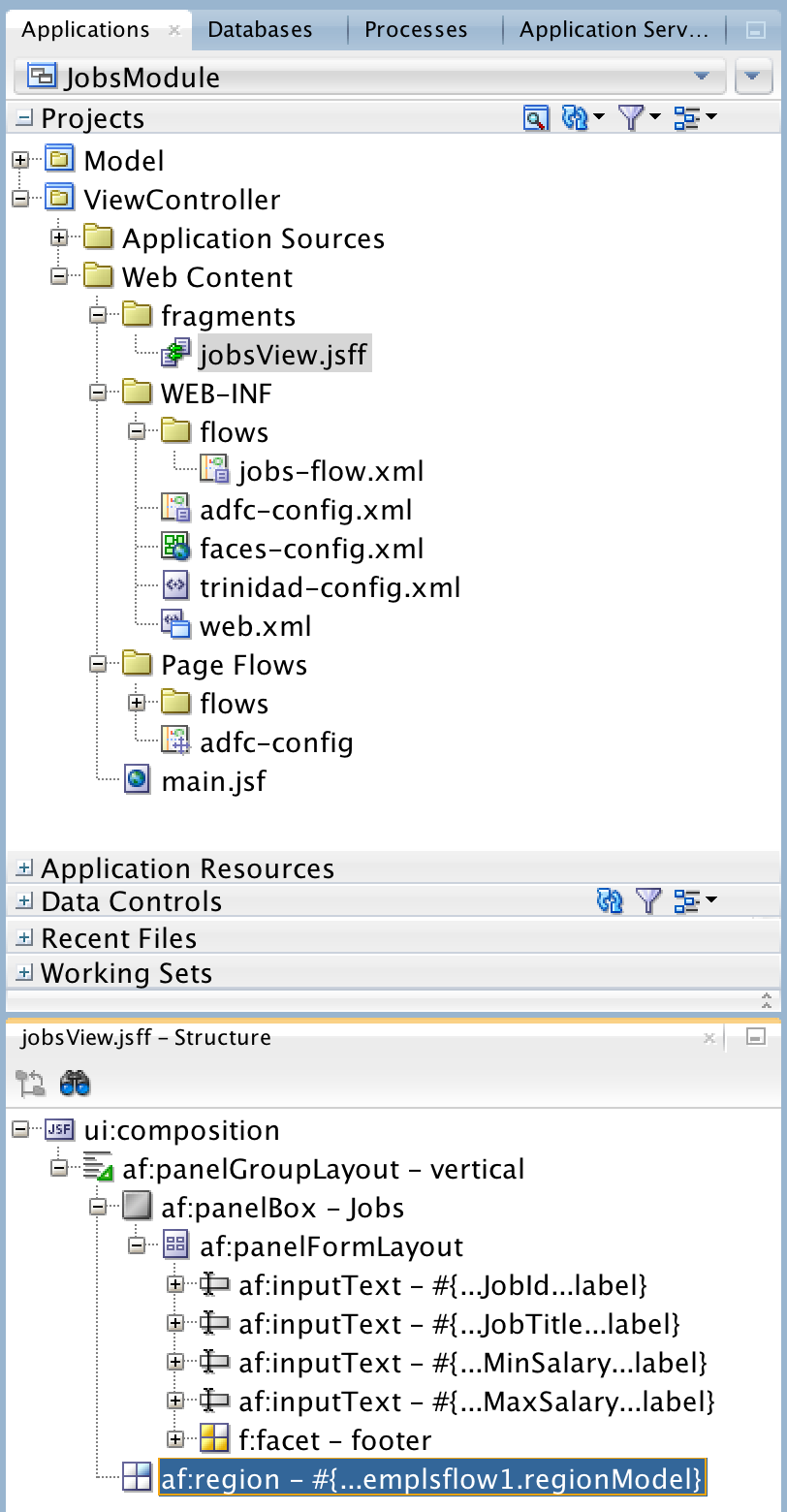
To be able to load ADF Task Flow by URL, make sure to use ADF Task Flow with page (you can include ADF region with fragments into that page). Set url-invoke-allowed property:


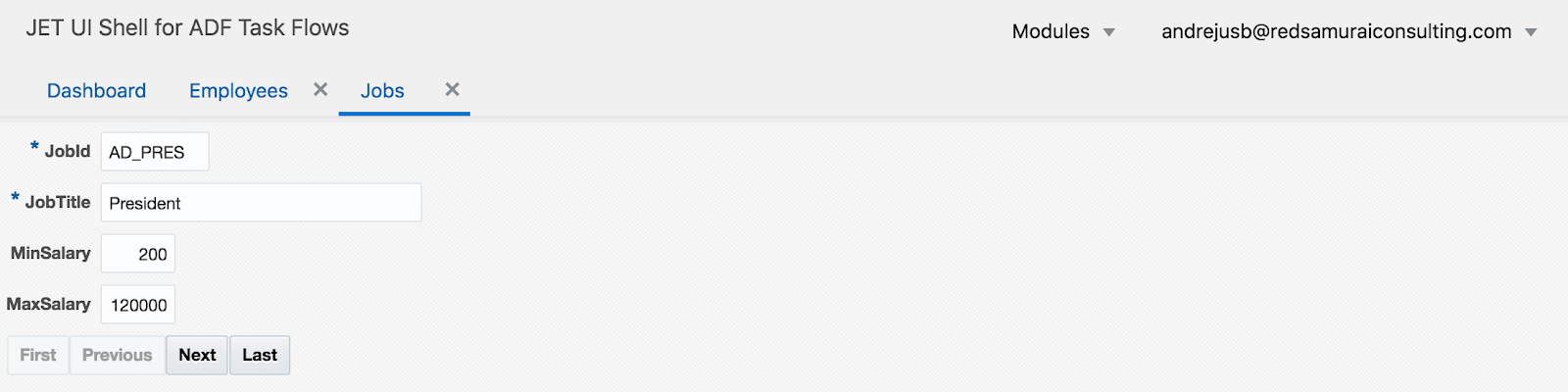
This is how it looks like. By default, JET dashboard module is displayed, select item from the menu list to load tab with ADF Task Flow:


JET tab rendering iframe with ADF table:


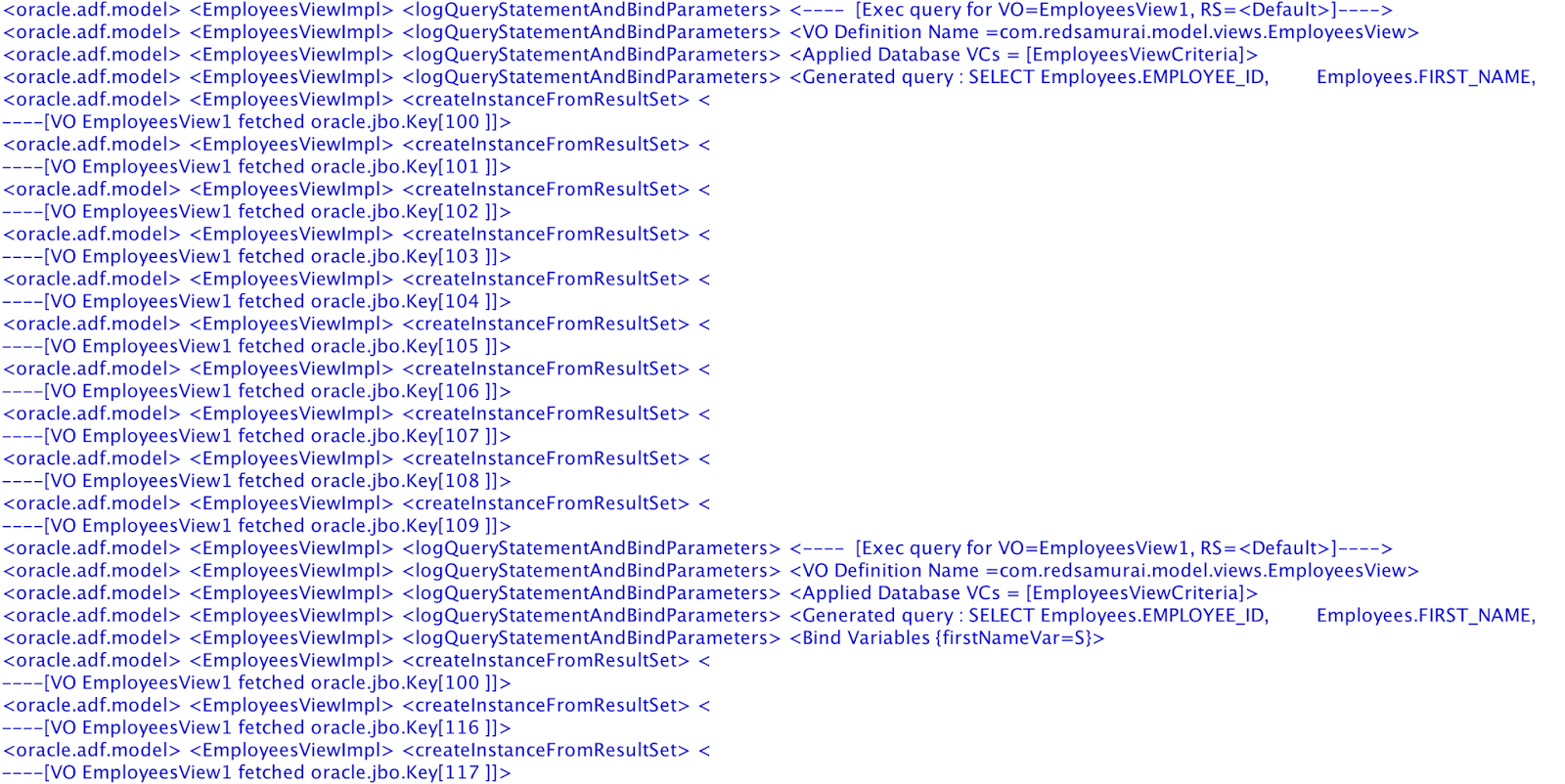
You can monitor ADF content loading in iframe within JET application:


JET tab rendering iframe with ADF form:


Download sample app from GitHub repository.

Saturday, February 24, 2018

Microservices with Oracle ADF Remote Regions

ADF remote regions - functionality available in the latest ADF 12c versions. ADF remote region runs on different server and content is delivered to consuming module through ADF remote region servlet. This allows to decouple large enterprise system into separate modules, each running independently on separate servers. Gained advantage - system becomes more scalable and reliable, even if several modules will be down, system will continue to be functional.

Concept of ADF remote regions, reminds me closely microservices architecture. Microservices - also known as the microservice architecture - is an architectural style that structures an application as a collection of loosely coupled services, which implement business capabilities. The microservice architecture enables the continuous delivery/deployment of large, complex applications. It also enables an organization to evolve its technology stack (as describe here).

Let's see how ADF remote regions are configured and consumed. Sample application (available for download from GitHub repository) is based on Employees and Jobs modules. Each module is deployed on different servers, Employees module is consumed in Jobs. Microservice here - Employees table. This table comes from loosely coupled service and is consumed within Jobs module:


Employees module runs on ADF server in Docker container (read more: Essential WebLogic Tuning to Run on Docker and Avoid OOM):


I will stop this module:


Jobs module still works, even Employees module is not available anymore - it is stopped. Otherwise if both modules would be deployed as single application - if application is down, system will be completely unavailable. But now users can access part of the functionality:


Will dive into technical part. ADF remote region is not different from the way how regular ADF region is consumed. You still must use ADF region tag, to define region:


Key difference is in region bindings - there is one extra property called Remote Connection. This connection defines source, from where remote region content is transferred. All other properties are the same, we can pass parameters too:


Consuming module must define ADF remote region connection. If connection details are correct, you should see ADF task flows with remote access listed:


Remote region connection wizard. You should use module context root and point to ADF remote region servlets rtfquery and rr:


This wizard can be opened by right clicking on Connections folder and going to New Connections section:


Consumer module should be enabled with remote region consumer support:


Producer module should be enabled with remote region producer support:


Producer module is configured with required servlets automatically, as soon as you enable remote region producer support:


Read more about ADF remote regions in ADF developer guide - 26.13 Creating Remote Regions in a Fusion Web Application.

Monday, January 29, 2018

Avoid Blind SQL Call from ADF Task Flow Method

Keep an eye open on ADF Task Flow Method Call activities where methods from ADF Bindings are called. JDEV 12c sets deferred refresh for ADF binding iterators related to TF Method Call activities and this causing blind SQL to be executed. Blind SQL - query without bind variables.

Let me explain the use case, so that it will be more clear what I'm talking about.

Common example - TF initialization method call where data is prepared. Typically this involves VO execution with bind variables:


Such method call could invoke binding operation either directly (pay attention - bind variable value is set):


Or through Java bean method using API:


My example renders basic UI form in the fragment, after TF method call was invoked:


If you log SQL queries executed during form rendering, you will see two queries instead of expected one. First query is executed without bind variables, while second gets correct bind variable assigned:


What is the cause for first query without bind variables? It turns out - iterator (with setting Refresh = deferred) from page definition mapped with TF method call is causing this. Somehow iterator is initialized not at the right time, when bind variable is not assigned yet and this causing blind SQL call:


Workaround is to set Refresh = never:


With Refresh = never, only one query is executed as expected, with bind variable assigned:


This may look minor, but trust me - with complex queries such fix could be a great help for performance tuning. Avoid executing SQL queries without bind variables.

Download sample application - ADFTFCallBindingApp.zip.

Wednesday, April 8, 2015

Simple (Effective) Refresh Approach for ADF Regions

I often hear developer asking about how to refresh different regions on the same page, when specific event happens in one of the regions - to refresh dependent regions. Usually developers would like to use something more simple than Contextual Event approach. There is more simple approach, may be it doesn't work for all the possible use cases - but it does it job, when just refresh is needed. This approach is based on dummy parameter value, being used as dependent region input parameter, with refresh option set to be ifNeeded.

For the sample test case, I'm using ADF 12c application (SimpleReloadRegionApp.zip). This application contains two AM's, to simulate two Data Controls to be used in separate regions:


Fragment from the first region, generates refresh event, when Save button is pressed. For this purpose, I have registered Property Listener to update flag variable. This variable value is initialised from refreshToken method, available in RefreshHelperBean:


Bean method is very simple, it takes current timestamp value and returns it to String. This value always will be changed and this ensures dependent region refresh:


Make sure to set input parameter for the region TF you want to refresh, this should be simple parameter of type String:


TF must call Execute operation, this will force to reload VO rowset data, before loading the fragment:


In the main page, where region is consumed, change refresh condition to ifNeeded and set refreshFlag parameter to point to the variable initialized in the first region (by property listener):


There are two regions rendered on the UI. Once I change data in the top region (form component) and press Save, second region below is refresh automatically and it fetches latest available data from DB:

Tuesday, September 23, 2014

ADF Region Data Synchronisation with Change Event Policy

This post applies for multiple ADF regions, based on the same Data Control. I will show you can avoid using ADF Contextual Events to synchronise two ADF regions, when both are based on the same Data Control and this Data Control is shared between the two.

Sample application contains two ADF Task Flows, both are using the same VO instance from shared Data Control:


Two ADF regions are implemented based on these TF's, one implements table component and another a form:


Data from both regions is synchronised automatically. Based on row selection in the table, form data from another region stays in synch:


Backwards synch works as well - change Salary attribute value in the form:


Salary attribute in the corresponding row from the table will be updated:


In order for this to work, make sure to set ChangeEventPolicy=ppr for Employees iterator in the first fragment page definition (this will ensure update when data is changed in the form and we want to see synch in the table):


Set the same property for the iterator in the second fragment page definition (this will ensure form data to be in synch when row selection is changed in the table):


Download sample application - RegionCommunicationApp.zip.

Sunday, September 29, 2013

Conditional Task Flow Activation in ADF 12c/11g

I will talk about tabs and ADF regions. Depending on the use case, you may want to ensure always only one region is loaded - the one which is displayed. If user opens another tab - region from previously open tab should be destroyed. We can achieve such functionality with combination of conditional region activation and ADF task flow isolated scope. Every time when different tab will be opened - ADF will open referenced region as the first time, data will not be cached.

Feel free to download sample application this post is based on - TabsTFActivation.zip. The key part is to enable conditional activation for every region included into tabs, see here example based on EL:


Every tab must have property listener defined to set tab identifier, the same is used from Page Definition EL to conditionally activate currently displayed region:


Region will be deactivated successfully, only if Isolated data control scope is set. Make sure Isolated scope is set for every region:


Deactivated region custom resources should be cleaned through finalizer, Page Flow Scope is cleaned along with Data Control entry, and AM instance - automatically:


Let's open one of the tabs from the sample for the first time - Employees:


Employees data is fetched from DB initially:


Go to the first tab - Departments and then open Employees tab again:


You will notice Employees data fetched again, as region was created from scratch, as it was destroyed before:


This approach could work as optimization for some of the use cases, when you don't want to hold data for the long time, when user is not working with the region from inactive tab.