Showing posts with label Groovy. Show all posts

Monday, April 24, 2017

ADF BC Groovy Expression Security Policy Configuration

Today I'm going to explain how to configure Groovy expression security policy. This could be helpful, if you dont want to change trustMode property to trusted everywhere across the app, but looking for single configuration point.

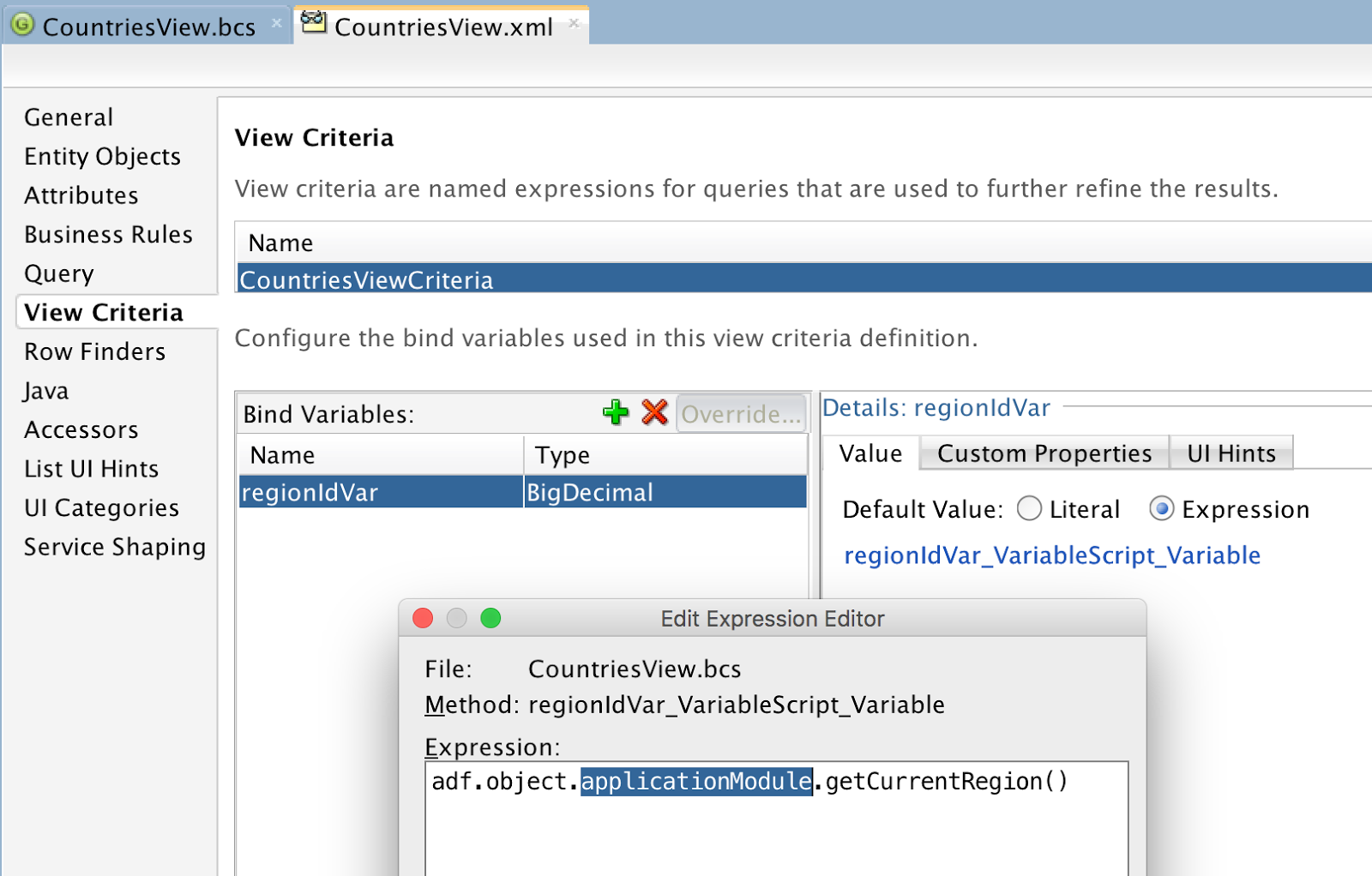
My sample app - GroovyPermissionApp.zip, contains bind variable with expression reference pointing towards custom method located in AM implementation class:


JDEV 12.2.1.2 returns compilation error for Groovy expression, can't resolve applicationModule property:


Such kind of checks can be disabled in Model project configuration. Uncheck option for Groovy Expression Type Validation:


JDEV 12.2.1.2 by default creates Groovy expressions in untrusted mode. If you change it to trusted, expression would work OK. However, if your app contains many expressions like this, you may want to ignore trustMode property:


If you run ADF BC tester in JDEV 12.2.1.2, it will show error text in the log for untrusted expression. ADF BC tester will fail to start, if there is any error - we logged this issue with Oracle Support. Property applicationModule can't be resolved, when trustMode is set to untrusted:


To disable this check, we can create new class extending ExprSecurityPolicy class. Override checkProperty method to allow calls to applicationModule property:


This class should be registered in adf-config.xml:
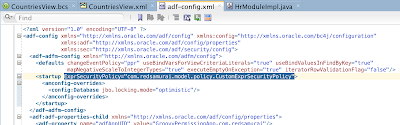

Try to run ADF BC tester again. Error about applicationModule will be gone. This time it will complain about permission error to call getCurrentRegion method:


Method access can be granted by annotation in AM implementation class:


ADF BC tester runs, and returns VO row data:

Tuesday, February 7, 2017

Setting Invalid Fields for the UI in ADF BC Groovy

What if you have entity level validation rule and want to attach validation error message to specific field. By default this is not possible - all entity level validation error messages are displayed in the popup and are not attached to the fields (differently than attribute level validation rule messages).

Apparently there is a way to achieve such requirement with Groovy expression, this can be executed from entity level validation - adf.error.addAttribute('Salary'). In addAttribute you need to provide attribute name which will be assigned with the error. Complete expression for entity validator:

Result displayed on UI - validation error message is assigned to the field, which was changed:


Download sample application - GroovyADFApp_v2.zip.

Friday, February 3, 2017

ADF 12c New Groovy API to Work with View Object Methods

I have interesting topic to share - new Groovy API in ADF to work with View Object, apply View Criteria, execute it. I have discovered it while experimenting with new features and functionality in ADF 12c. Starting from ADF 12.2.1, we have an option to code Groovy in separate file with extension .bcs - ADF BC Groovy Improvements in ADF 12.2.1. This makes sense especially with this new Groovy API - it is more convenient to code/maintain more complex Groovy logic in separate file. As Oracle docs say - Groovy runs faster when it is coded in separate .bcs file, probably there is no need to parse XML to extract and execute expression.

Sample application - GroovyADFApp.zip, contains Groovy implementation for Employees EO:


There is validation rule for Salary attribute coded in Groovy:


Let's take a look into Groovy method, we can open it in .bcs file - for more convenient to review/edit:


1. Method newView gets instance of Jobs VO, within Employees EO context. To get instance of VO with newView, it needs to be defined for programmatic access. This can be done in Model.jpx file, Groovy section.


2. Method copyNamedViewCriteria returns instance of predefined View Criteria. You need to set property ExtAllowUntrustedScriptAccess=true for View Criteria to be accessible in Groovy:


3. Method setViewVariable allows to set value for bind variable from VO. As a rule, bind variable must be assigned with ExtAllowUntrustedScriptAccess=true to be accessible in Groovy.

Let's see how it works on runtime. First it gets VO instance, applies bind variable value and then executes VO. Based on predefined logic, if row is returned - validation is successful:


When validation fails - message is returned:


This Groovy API can be useful when you need to access VO and execute logic directly from Groovy script, without coding Java method.

Sunday, April 17, 2016

ADF 12c Custom Property Groovy and AllowUntrustedScriptAccess Annotation

To execute Groovy expression in ADF 12c (to call Java method from Groovy), you must specify trusted mode. Read more about it in my previous post - ADF BC 12c New Feature - Entity-Level Triggers. Setting mode to trusted, works in most of the cases. It doesn't work if we want to execute Groovy expression (calling Java method in ViewRow or Entity class) for custom property. In a case of custom property and Groovy calling custom method, we need to annotate Java class with AllowUntrustedScriptAccess. This makes a trick and Groovy expression can call custom method.

To demonstrate the use case, I was using mandatory property. This is standard property to control if attribute is required or no. By default, mandatory property is static, but we can make it dynamic with Groovy expression. I have implemented a rule, where Salary attribute is required, if value is more than 5000:


Salary is not required, if value is less than 5000. This is just example, you can implement more complex logic:


There is a method in ViewRow class, to calculate required property for Salary attribute:


Method is callable from custom property Groovy expression, as we have set annotation AllowUntrustedScriptAccess for ViewRow class. Annotation definition, must list all allowed methods:


Here you can see Groovy expression, to call ViewRow class method - mandatory. Expression is assigned for custom property, this will be referenced from ADF UI:


There is issue with JDEV 12c, it fails to parse custom properties set with Groovy expressions. It fails to parse and removes custom property from the code. To prevent such behavior, specify empty string for custom property value (this will allow to keep Groovy expression):


Luckily in this case of mandatory check, JDEV by default generates mandatory property for ADF UI component. We simply override its original value with custom property and calculate new value in custom trusted method, referenced by Groovy expression:


Download sample application - ADF12cGroovyCustomPropertyApp.zip.

Monday, December 28, 2015

ADF BC Groovy Improvements in ADF 12.2.1

Groovy scripting is improved in ADF 12.2.1. There are no inline Groovy expressions anymore. Expressions are saved in separate Groovy language file, external codesource. Each EO/VO will be assigned with separate file to keep Groovy expressions. This improves Groovy script maintenance (easier to check all Groovy expressions from EO/VO located in one file), also it improves runtime performance (as JDeveloper ADF code audit rule suggests).

Inline Groovy expressions created with previous JDeveloper versions are compatible in 12.2.1. All new expressions are created in separate *.bcs file. Sample application - ADFGroovyApp.zip, comes with validation rule implement in Groovy script expression:


We should check how validation rule definition looks in EO source. There is one inline Groovy expression I have created with previous JDeveloper version. It is marked as deprecated and suggested to be moved to external codebase:


Validation rule with Groovy expression created in JDeveloper 12.2.1 looks different. There is no inline Groovy code anymore, instead it points to the external codesource name:


Codesource name is registered inside operations definition:


I have defined two validation rules with Groovy for Jobs EO attributes MinSalary/MaxSalary. Code for both of them are included into single Jobs.bcs file:


On runtime it works correctly, entered values are validated against logic coded in Groovy:


Separate Groovy file approach can be turned off in ADF BC project settings, not recommended though:

Friday, March 1, 2013

Default Dynamic Value for ADF Query Search Field

What if you face requirement, which tells to give default value for ADF query field in the search box. This is not just for some static value, but default search parameter must come from another LOV view object. As example in this post, I will implement use case where first value from LOV view object will be set as default value for the search field.

Download sample application - ADFQueryDefaultValueApp.zip. First thing you would consider is to uncheck "Include No Selection Item" for LOV configuration. This works for regular LOV's, but not for those ones included into ADF query search:


See - DepartmentId choice list is rendered without any default value assigned (we would assume, first value should be set by default):


With a bit of coding, we can make it work. Let's include Groovy code expression and reference custom method from VO implementation for Bind Variable default value:


When Bind Variable is assigned with default value, this allows to show this value in the LOV search field included into ADF query.

Default value is calculated dynamically - custom method is responsible for this action. Method gets instance of LOV VO from Application Module, retrieves first row and returns value for LOV key attribute. Make sure to use VO first() method and don't use executeQuery(). Groovy expression for Bind Variable value calls custom method multiple times, executeQuery() would invoke SQL each time when method is called. first() method works differently, it will retrieve already fetched row from cache:


Don't forget to register LOV VO instance in Application Module, otherwise custom method will fail to find it. This instance will be used to retrieve default value for LOV rendered in ADF query search block.

Here we can see how it looks on runtime, default value is set for the choice list automatically:


User can change choice list value and search:


If reset operation is invoked for ADF query - default value is set back again:

Thursday, February 7, 2013

ADF BC Groovy with Java Imports

ADF BC Groovy expressions support is really great and often saves a lot of time in development of complex functionalities. It comes very handy when retrieving referenced data or calling custom ADF BC methods. There is one more hidden gem offered by ADF BC Groovy - option to import Java packages directly into Groovy and use Java functionality.

Here is the example - I'm importing java.text.SimpleDateFormat directly from Groovy expression and then using Java formatting to retrieve month and year portion from current date. This expression is defined for default value of the transient attribute:


Simple and no headache - it just works:


Here you can download sample application for this post - AdvancedGroovyApp.zip.

Sunday, August 26, 2012

New Record Master-Detail Validation and ADF BC Groovy Use Case

I will explain today implementation for Master-Detail validation rule - new Master record insert is not allowed, if there are no Detail records added.  ADF is powerful framework and there are different ways to implement same requirement - complexity is to choose the most suitable and optimal approach. Such validation rule can be implemented in Java, by overriding doDML() method on Entity Implementation class. While this works, also same rule can be implemented in Groovy script and declared as ADF BC business rule on Entity. Obviously its better to declare validation in standard way as Entity business rule, instead of coding it in Java logic (at least for current requirement) - it will make code maintenance and changes simpler.

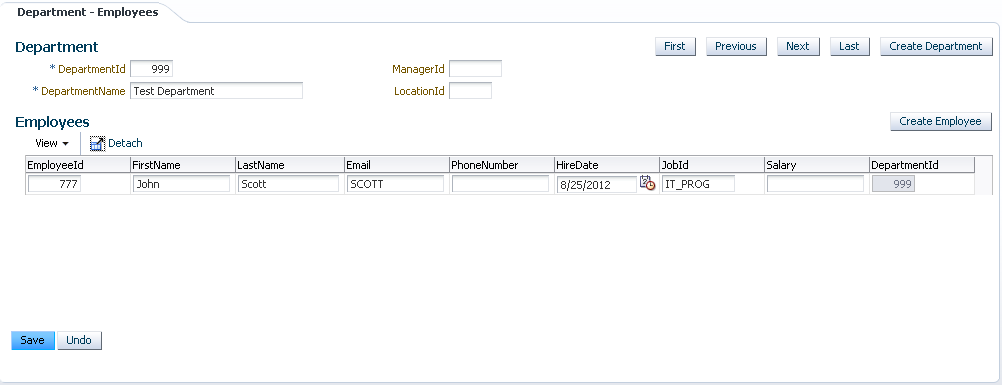
Sample application is based on Departments-Employees - MasterDetailGroovyValidationApp.zip. User creates new Department:


Detail list with Employees is refreshed for new Department, based on Master-Detail relationship:


You can see - new Department info is available, but there are no Employees added, as per our validation rule such data change should be prevented. Yes, it works exactly as it should - ADF reports validation error for new Department record without Employees added:


Add Employee record - transaction will be commited without errors:


This validation is implemented with Groovy, as Entity level business rule. I would recommend to read more about Groovy from Grant Ronald guide - Introduction to Groovy Support in JDeveloper and Oracle ADF 11g. Oracle ADF developer guide how to call Entity Implementation class methods from Groovy - 7.5.1 How to Reference Entity Object Methods in Groovy Validation Expressions.

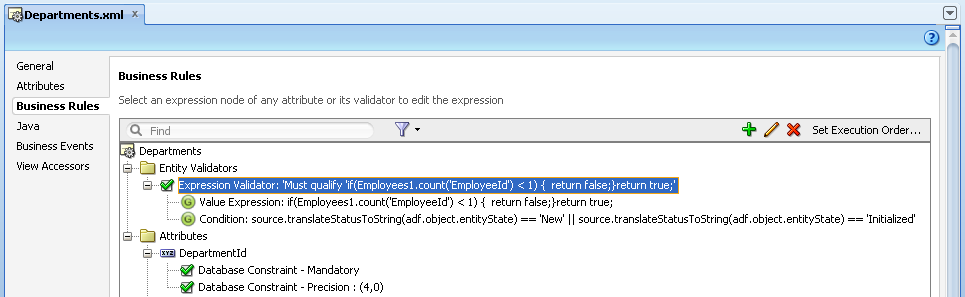
Validation rule is invoked on transaction commit, it is defined as Departments Entity level validation:


I'm using Groovy for rule definition and for validation execution logic. Validation rule definition executes count Groovy function based on Employees accessor. If count returns 0 records, means there are no associated Employees - validation error is reported:


Validation execution logic checks if rule should be executed. It gets current row status for Groovy object - adf.object.entityState. If status is translated (using custom method in Entity Implementation class) into New or Initialized - only in such case validation rule is triggered:


Custom method in Entity Implementation class to translate row status:


Additional tip for insert into Master-Detail, sample application overrides postChanges(...) method for Employees Entity Implementation - it checks if Master Departments record is new and forces post on Master (this is required if Association is not Composite to ensure Master-Detail posting order):