Showing posts with label Security. Show all posts

Monday, April 24, 2017

ADF BC Groovy Expression Security Policy Configuration

Today I'm going to explain how to configure Groovy expression security policy. This could be helpful, if you dont want to change trustMode property to trusted everywhere across the app, but looking for single configuration point.

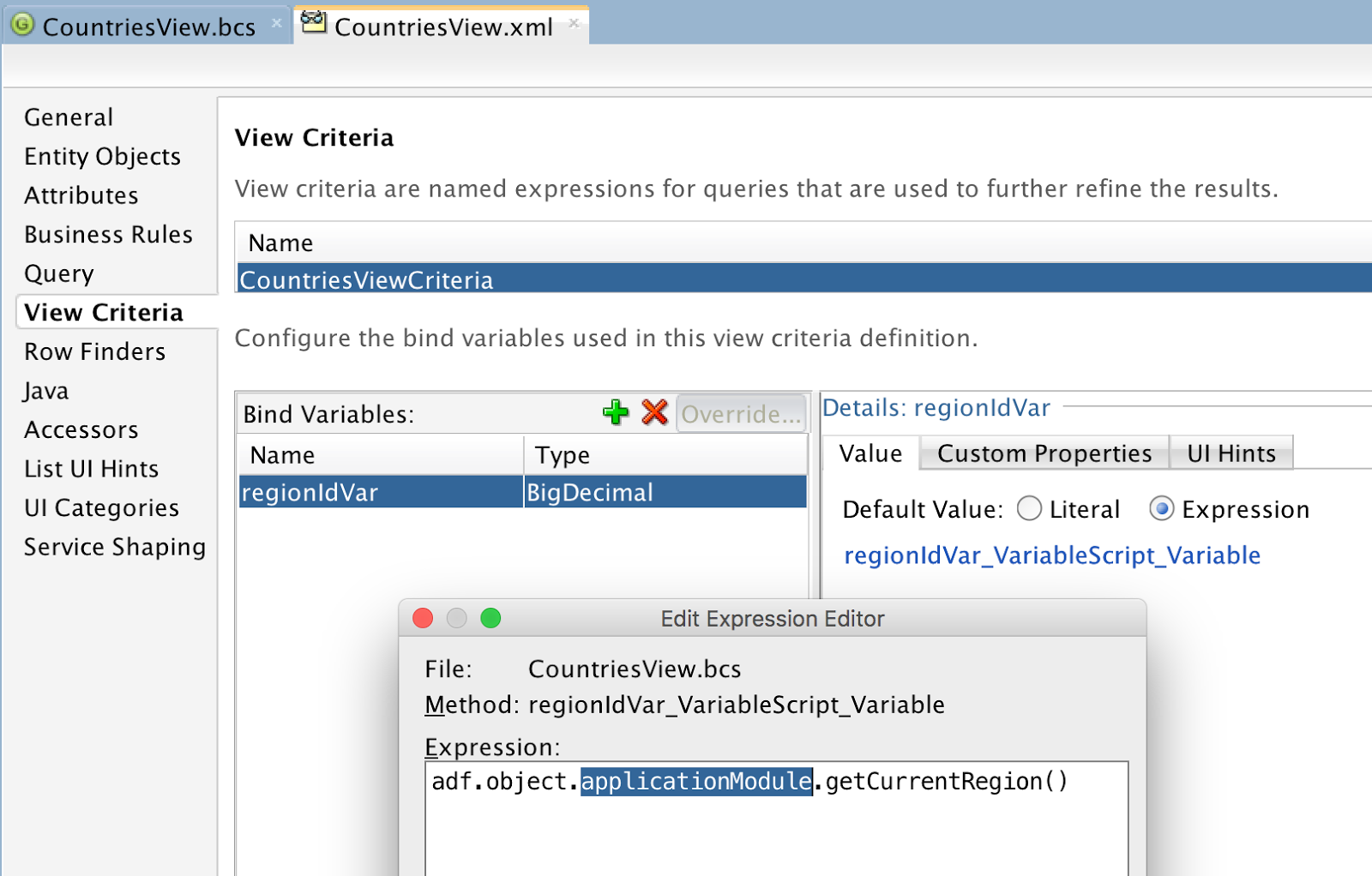
My sample app - GroovyPermissionApp.zip, contains bind variable with expression reference pointing towards custom method located in AM implementation class:


JDEV 12.2.1.2 returns compilation error for Groovy expression, can't resolve applicationModule property:


Such kind of checks can be disabled in Model project configuration. Uncheck option for Groovy Expression Type Validation:


JDEV 12.2.1.2 by default creates Groovy expressions in untrusted mode. If you change it to trusted, expression would work OK. However, if your app contains many expressions like this, you may want to ignore trustMode property:


If you run ADF BC tester in JDEV 12.2.1.2, it will show error text in the log for untrusted expression. ADF BC tester will fail to start, if there is any error - we logged this issue with Oracle Support. Property applicationModule can't be resolved, when trustMode is set to untrusted:


To disable this check, we can create new class extending ExprSecurityPolicy class. Override checkProperty method to allow calls to applicationModule property:


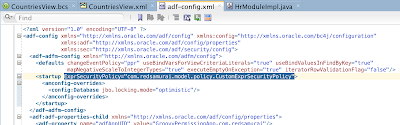
This class should be registered in adf-config.xml:

Try to run ADF BC tester again. Error about applicationModule will be gone. This time it will complain about permission error to call getCurrentRegion method:


Method access can be granted by annotation in AM implementation class:


ADF BC tester runs, and returns VO row data:

Thursday, October 6, 2016

Oracle JET and ADF BC REST Security Integration Approach

I have promised to atendee of my OOW'16 session (Building Enterprise-Grade Mobile Apps with Oracle JET and Cordova [CON5731]) to post a blog about ADF BC REST security and integration with Oracle JET. This post is to demonstrate how we could reuse cookie ID generated by ADF BC REST Web session for REST requests from JET.

First thing first, here you can download source code - jet_adfbc_security.zip. This archive contains ADF BC REST application and JET source code (you need to copy it into your local JET application).

Take a look first into JET login form. This is where we collect username/password and call login function. One important detail - invalidComponentTracker, this allows to report required validation error, when user hits login button with empty username or password:


Here is the login function in JET. If there are no validation errors, it executes POST against ADF BC REST service custom method. In response we could return user info, preferences, etc. This is the only one request where we are using username/password. Key point of this request is to get JSESSIONID from ADF BC REST server, so we could use it for subsequent requests, without sending username/password again. This is similar concept to ADF Faces, it is also using JSESSIONID to track web user and HTTP session on the server. If login is successful, we are reading custom parameter from response with JSESSIONID value. JET router is updated to render different menu structure after login:


Custom response parameter is populated on the server in Filter class. On authentication request this parameter is set once:


ADF BC REST application is enabled with standard ADF Security:


This is how it works. Login form in JET:


Login is successful with redsam/welcome1 user. Two tabs are rendered - Home and People. Home tab displays chart with employees:


We should dive deeper and check what happens with REST communication. POST method in response gets custom parameter with JSESSIONID value, if authentication is successful based on Authorization header parameter:


Chart data in Home tab is retrieved through GET method and this method is not using Authorization header anymore. It calls REST method using JSESSIONID in URL. JESSIONID must be before URL parameters:


Home tab is implemented with JET chart component:


JSESSIONID is included into REST call URL through getURL method, which is referenced by JET collection:


People tab implements table with pagination support:


Same approach is applied in People tab. JSESSIONID is appended into URL through getURL method, before URL parameters:


People UI with paginated table in JET:


REST request URL contains JSESSIONID:

Saturday, August 20, 2016

Oracle JET and Mobile Cloud Service Authentication with OAuth

I will describe with practical example, how to authenticate against MCS in Oracle JET using OAuth. This is based on sample app from my previous post - Oracle JET and Application Container Cloud (with MCS Integration) (download sample app from there). It would be useful to read through MCS documentation - Authenticating with OAuth in Individual REST Calls.

Oracle JET sample application provides login form:


If login is successful, REST call is done and MCS returns data:


In order to authenticate using OAuth, we need to use Application Key defined in MCS Mobile Backend:


Go to Mobile Backend settings screen and note down OAuth property values for Client ID and Client Secret. We are going to use these values in JET application, to initialize OAuth authentication:


There is one test user defined in Mobile Backend - redsam. We can use these user to login from JET over OAuth:


MCS offers to download SDK Java Script code, we could use it in JET application, to authenticate against MCS service through OAuth, Basic or Facebook login. Download SDK from getting started page:


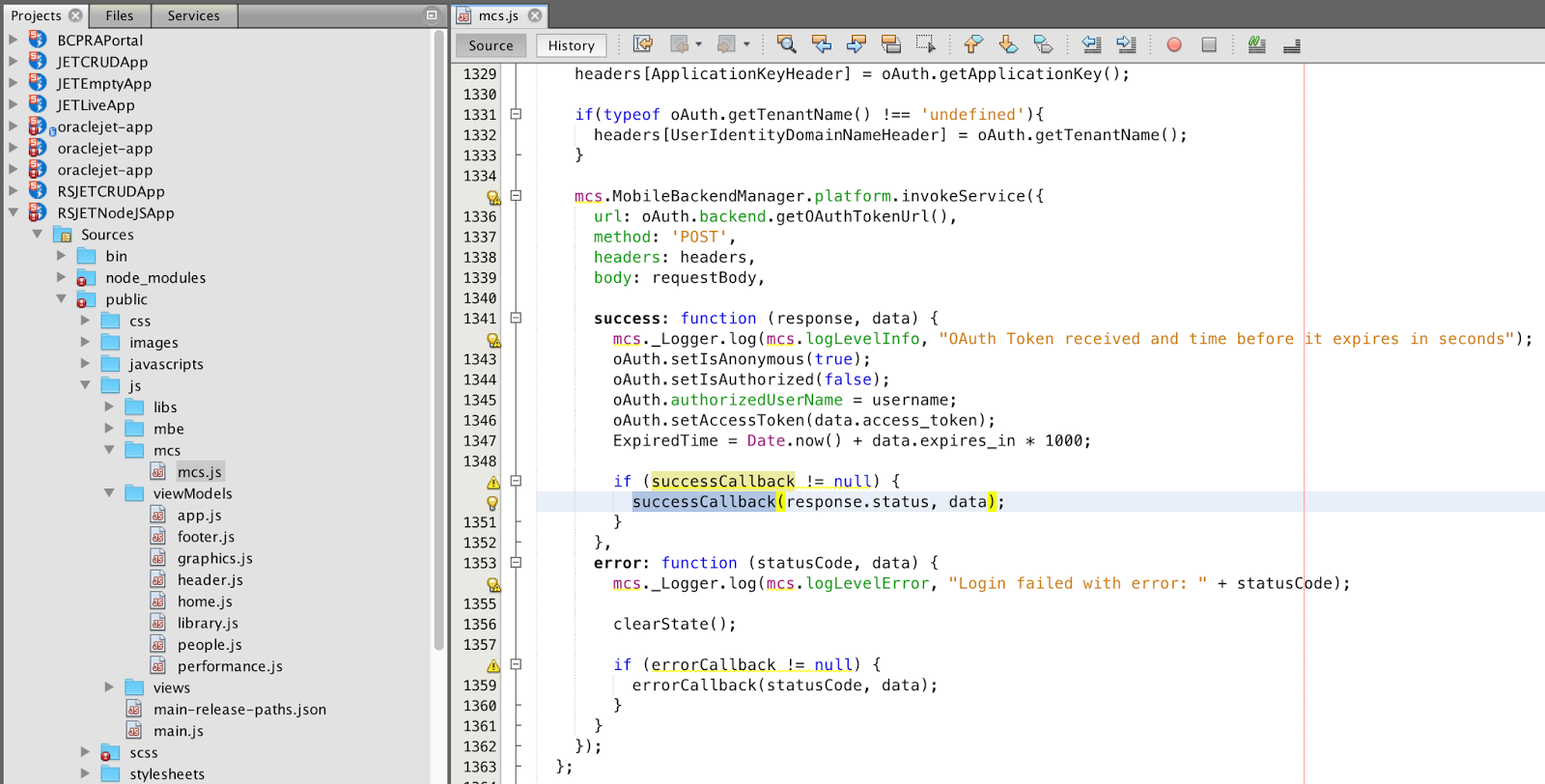
I'm using mcs.js from MCS SDK, you could find helper method in this class - it executes REST POST to authenticate through OAuth and gets temporary access token in return. This token can be used for subsequent requests in the same session:


There is one more wrapper JS file - mbe.js. Here you define mobile backend connection keys. Authentication type is specified as oAuth:


Make sure to add mcs.js module into main.js paths:


Key point - mbe.authenticate() method (call it from JET module, make sure to reference mbe module in require block). Provide username/password and callbacks for login success and login failure:


In login success callback, I'm reading temporary token and passing it through header Authorization : Bearer. This token can be used for REST requests to MCS:


UI component is displayed when authentication is successful:

Tuesday, July 12, 2016

ADF BC REST Authentication with JSESSIONID Cookie

I have described how to apply ADF Security for ADF BC REST in my previous post - Oracle JET and ADF BC REST Basic Authentication. I will show how you can authenticate on first request and for the next requests rely on JSESSIONID cookie from the first request. This is useful for mobile clients and JET, there is no need to keep user credentials during requests (enough to keep cookie), as this is sensitive data.

Let's see how it works. In the first request we must authenticate. We are going to use basic authentication with GET operation and provide user credentials:


Request is authenticated and data is returned:


Along with data, extra information is returned with response - cookie and header. Cookie JSESSIONID value identifies authenticated session context. We can use this value for the next requests, this way server would assume us as trusted and would not ask to authenticate again (similar principle as in ADF web). Copy cookie value:


Now you can close and open Postman, to guarantee nothing is shared from previous request. Remove authentication header and add new header variable called Cookie. Value must be set as JSESSIONID=Cookie Value. Execute GET operation:


If session associated to this cookie is still active on the server, you will get response data, as it would be expected (no need to provide user credentials again):


ADF BC REST sample application - ADFBCRESTApp_v7.zip is protected by ADF Security with authentication and authorization:


REST servlet is mapped with appropriate security constraint in web.xml:

Saturday, March 5, 2016

Oracle JET and ADF BC REST Basic Authentication

You might be interested to check my previous sample about CRUD implementation in JET - Handling ADF BC 12.2.1 REST Validation in Oracle JET. I'm going to describe how to access secure ADF BC REST service from JET, based on the CRUD sample app. We need to pass authorization header on each REST request, this way server can authenticate user and authorize access to the REST resource. There are couple of other tips applied on ADF BC REST service side, all described below.

Blog reader rjahn shared a link in this blog comment - Oracle JET - Rendering Table from ADF BC REST Service, he describes how to pass authorization header using oauth property, while executing GET and fetching collection in JET. I'm using same approach for GET, but for PATCH, POST and DELETE authorization header is set in slightly different way.

First of all we need to take a look into ADF BC REST security implementation. Each time when custom header is attached in JET, it executes OPTIONS method without appending authorization header. I have disabled security check for OPTIONS in web.xml:


Important tip - by default security operations granted to ADF BC resource are all assigned through single permission (in jazn-data.xml):


I have found this doesn't work, even from Postman - only first operation from the list is authorized. This must be a bug in ADF BC REST security. Workaround is to separate each operation into different permission group manually:


GET executed from JET is authorized and data is coming through:


We can see in network monitor recorded GET execution from JET - authorization header is submitted along with request:


Authorization header is encoded with JavaScript btoa function. Obviously it must run on HTTPS to be completely secure, otherwise someone can intercept and decode the password. Authorization header is being constructed in JET (you would fetch username/password from HTML form, etc.) and is attached to the collection (this way it gets included into request header executed by GET). It doesn't work to attach it to collection through header property (as it works for POST, PATCH and DELETE), but it works with oauth:


Authorization header can be set for PATCH. Data can be updated through secure service:


Authorization header is present in PATCH request:


Authorization header is injected through property - headers (differently than for collection and GET). It didn't work to use oauth here:


Create case is executed through POST, security is enforced through authorization header here also:


We can see header is present in the request:


Authorization header is attached in the same way as for PATCH:


Delete case is executed through DELETE, same authorization header is applied:


Header info:


Authorization header is attached to JET destroy operation:


Download sample application (JET and ADF BC code) - JETCRUDApp_v5.zip. You should include JET code into JET toolkit distribution.