Showing posts with label Glassfish. Show all posts

Wednesday, October 17, 2012

ADF Essentials Security Implementation for Glassfish Deployment

ADF Essentials includes all the key ADF technologies, only one is missing - ADF Security. This is related to ADF Security technical implementation dependency on WebLogic security. However, lack of ADF Security support is not a show stopper - we can enable JAAS security model. This would protect page resources from ADF application, but not ADF Task Flows with Fragments. One of the most common ADF architectures nowadays - use of ADF Task Flows with Fragments through dynamic regions based on single page. This means security implementation to protect ADF Task Flows with Fragments, when rendered through dynamic region is very important.

In this post I will provide solutions, implemented in the sample application - MultiTaskFlowApp_gfsec.zip for:

1. Configuring JAAS security for ADF application
2. Configuring ADF application for Glassfish security
3. Restricting access to ADF Task Flows with Fragments

Sample application contains SecurityController class - custom class, responsible to check if task flow can be accessed. Logic is pretty simple - we check current dynamic region task flow address, compare it along with a security check (globalaccess role). This is simplified example, in real life most likely you would retrieve mapping between task flow and security role from the database:


Now the key part - from where this logic is invoked. It is invoked from task flow activation property (conditional activation). This means, dynamic region will be activated only if task flow will be viewable (security access is granted) based on the custom security logic from our method above:


This is how we can control ADF Task Flow with Fragments access.

Now let's take a look how security infrastructure is configured for deployment. Firstly you need to define JAAS security constraint in web.xml:


As you can see here, all pages (/faces/*) are restricted to be accessed only for authorized roles. These roles are mapped with groups. Groups are defined on Glassfish server. This is the same concept as with WebLogic, only that we need to use glassfish-web.xml (create it manually) configuration file in WEB-INF where roles are mapped with groups:


We can test it now - login as redsam (GlobalUser):


Open task flow for Departments:


Login now as sking (RegionalUser):


This user doesn't have access to the Departments task flow, task flow will not be activated as per our security check implementation:


You can create local user in Glassfish, just in the same way as you do in WebLogic - go to file realm and press Manage Users:


You can manage users from here:

Saturday, October 13, 2012

ADF 11g R2 WebLogic 10.3.5 vs ADF Essentials Glassfish 3.1 Performance Test

With ADF Essentials certified on Glassfish server, we can run performance test and compare ADF runtime performance on both servers - Glassfish and WebLogic. You can read about ADF Essentials (free distribution of ADF framework) from my previous post - ADF Essentials - Quick Technical Review. Based on performance test results - ADF runs faster on Glassfish server. This can be explained logically, because Glassfish server is much lighter comparing to WebLogic - it allows to execute ADF runtime faster.

Performance test was completed on regular ADF developer environment, there was no special tuning applied for both servers - just all default settings. My goal was to test with default settings, without special tuning - because at the end we can tune both servers and get even better results in production.

For the test case, in order to make it more realistic - I was using free sample Chinook Database data loaded into Oracle XE. I have generated ADF BC for this database, with Master-Detail relationships. Some of the tables contains around 10 K rows. I was using these tables for LOV and Master-Detail implementations.

The best thing - I was able to record single JMeter script and run it without changes (well, just server port change) for both deployments (Glassfish and WebLogic). Exactly same JMeter script execution against two servers allows to produce as much as possible accurate results for the same application deployed on both servers.

Here you can download sample ADF 11g (11.1.2.3.0) application I have developed for performance test - SamplePerformanceApp.zip. JMeter performance test script is included into archive.

Performance test was performed for two types of user load: 25 and 50. Each test was repeated 3 times to get average results.

1. 25 concurrent users. Response times (obviously lower is better):

a. Glassfish: 0.8 seconds in average
b. WebLogic: 1.4 seconds in average


2. 50 concurrent users. Response times:

a. Glassfish: 8.7 seconds in average
b. WebLogic: 17.2 seconds in average


These results show WebLogic to be 2 times slower (twice as slow) in average comparing to Glassfish when running the same ADF application.

Sample application contains two tabs. First tab brings region with single record block. Stress test is recorded for each user to navigate through records, to go to last/first record, open long list LOV for Album Id:


Second region renders 6 blocks, there are 3 Master-Detail relationships. Stress test is recorded for each user to navigate through Master-Detail records, open LOV's and return values:


Sample application implements ADF BC structure based on sample free Chinook DB (see above):


There are two regions, rendered in tabs from main page:


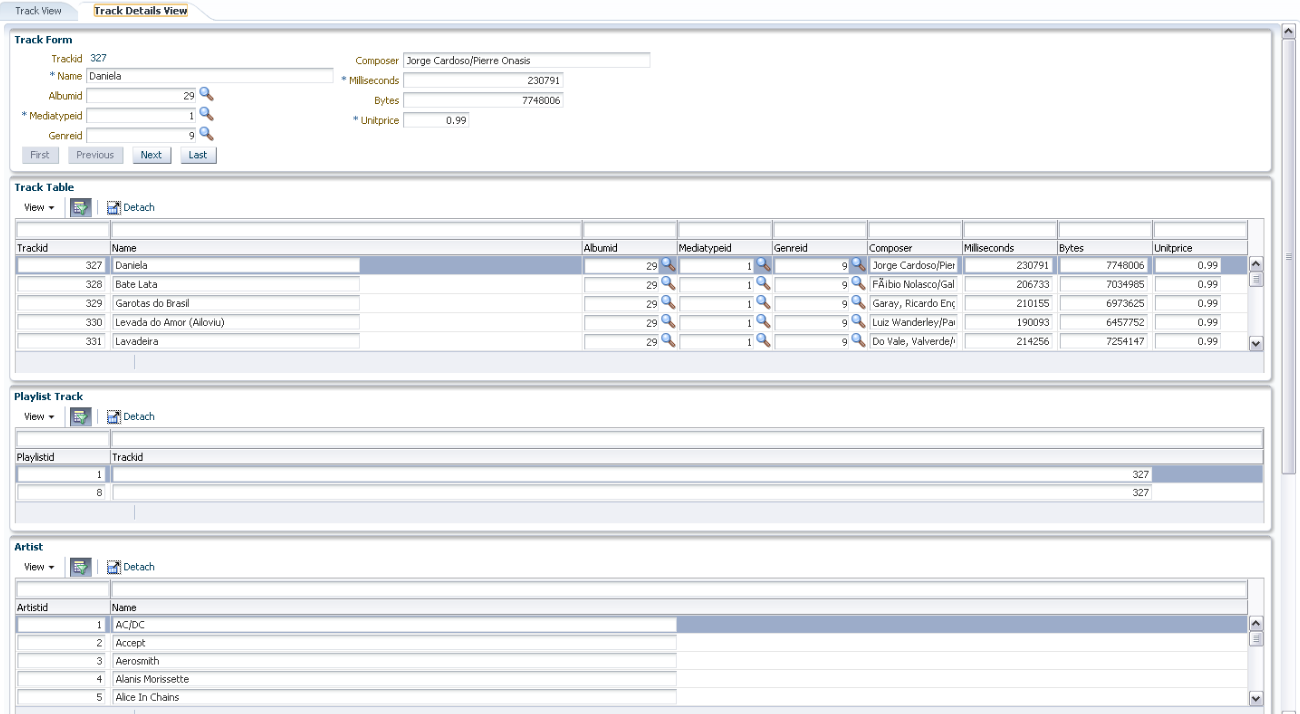
Master-Detail structure implemented in details region:


Below I provide JMeter stress test summaries:

1. Glassfish 25 users


2. WebLogic 25 users


3. Glassfish 50 users


4. WebLogic 50 users


Summary: ADF performance depends on the server type. ADF is not slow, but it might be just server is slow. It seems to run faster on Glassfish with free ADF Essentials distribution, at least today. I will not go into deeper conclusions at this point, because my goal was to compare ADF runtime performance on WebLogic and Glassfish from technical point of view.

Tuesday, September 25, 2012

ADF Essentials - Quick Technical Review

Finally we have express ADF edition - ADF Essentials, free to use even for production deployment. It includes most of the important ADF features, except ADF Security (this can be implemented with standard Java security). We were discussing idea of express ADF edition on ACE Directors briefings already two years back and Sten Vesterli was one of the strongest advocates for ADF Essentials.

There is lots of hype about free ADF edition, but only time will show how successful it will be. Currently most of the Oracle customers already have WebLogic licenses, so it makes more sense to use full ADF version and avoid sometimes painful ADF setup, configuration and runtime performance monitoring for serious production systems. On the other hand, lighter ADF edition also makes its own sense - we can have much more ADF deployments across enterprise with lower cost.

This post is just a quick review for ADF Essentials on Glassfish. I will do proper performance test soon to compare ADF performance on WebLogic vs. Glassfish. So far, it seems like runtime ADF performance on Glassfish is pretty good, may be because lighter server. I will need to verify how good it scales and how well it works under stress load.

Download sample application for this post - adfessentialstest.zip. This application contains two JDeveloper 11.1.2.3 applications - one main application, another ADF library. I would like to test if ADF region imported from ADF library works. Sample application was deployed to Glassfish server based on instructions from Shay Schmeltzer - Deploying Oracle ADF Essentials Applications to Glassfish.

Main application is up and running on Glassfish server:


There is ADF Library JAR file included into Main application, it contains ADF region:


Main application contains single page with two tabs, imported region is in second tab. First tab contains Master-Detail implementation:


Application is pretty simple, but first thing I noticed WAR deployment archive size - around 60 MB, lots of ADF libraries are packaged into WAR. No wonder Glassfish server goes out of memory after couple of redeployments. ADF Essentials are deployed into Glassfish domain LIB folder, in addition different ADF libraries are included into WAR package as well. In order to decrease WAR size a bit, we can enable compression option (it allows to decrease WAR size by around 15 MB in this case):


Compressed WAR size is 44 MB:


List of ADF libraries in deployment WAR file:


ADF runtime performance on Glassfish was quite good, it looked to me even a bit faster comparing to WebLogic - but I could verify this only after JMeter stress test. Master-Detail data was loading pretty fast:


ADF region imported from ADF library didnt work for me - empty block is rendered:


Region error is reported in Glassfish log:


Important: I have tested the same application on WebLogic server with full ADF - the same imported ADF region from ADF library was rendering correctly. ADF library support formally is available in ADF Essentials, this means we are hitting some bug here.

This proves that there are runtime differences between ADF application running on full ADF and on ADF Essentials. If application runs on full ADF, it doesn't mean it will run on ADF Essentials, it will require additional testing.

UPDATE 26/09/2012: ADF region imported from ADF library works. I did one more redeployment for the main application on Glassfish server - suddenly it works now. I can see ADF region rendered from ADF library:


Probably some parameter was not registered correctly during initial deployment.