Showing posts with label Templates. Show all posts

Sunday, September 15, 2013

Dynamic Task Flow Template Actions in ADF 12c/11g

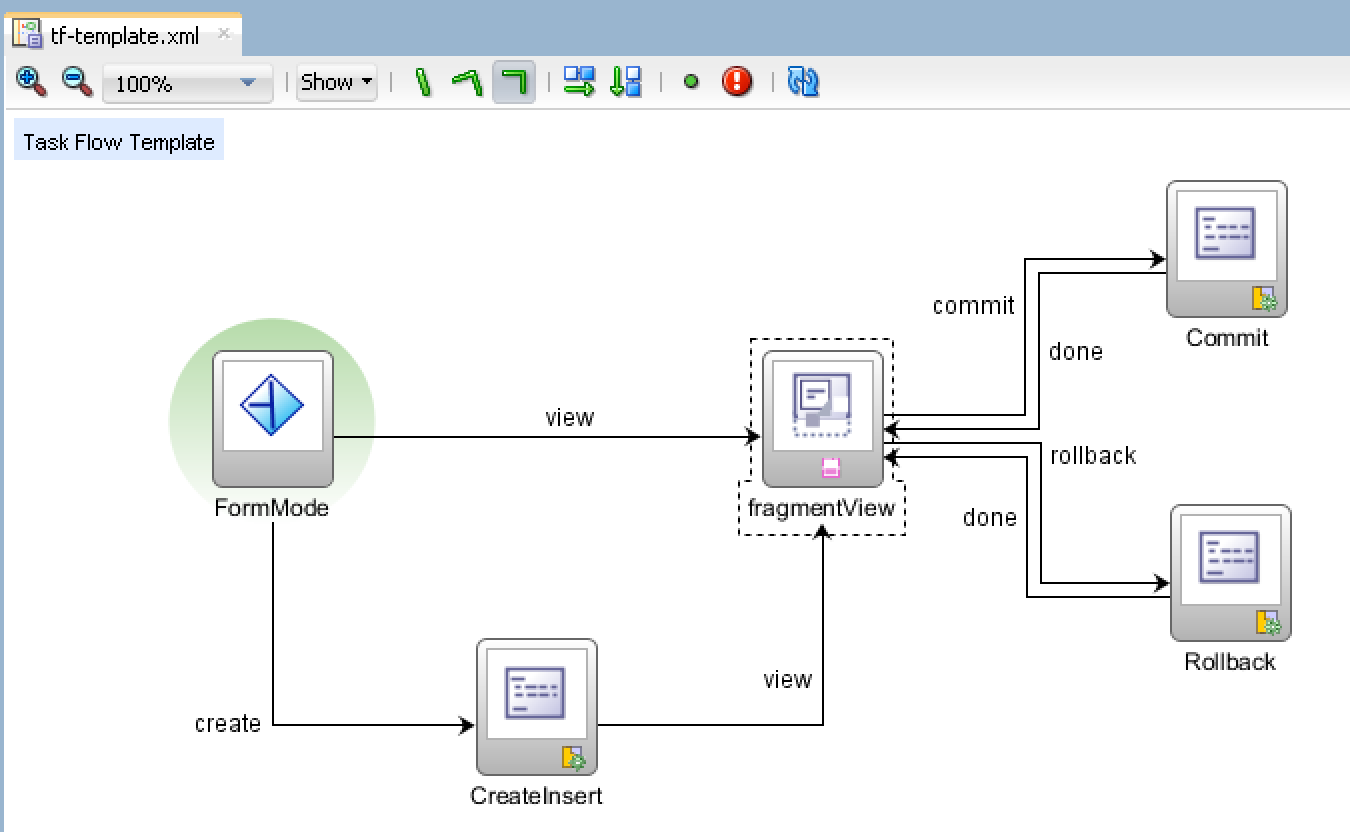
This will be update for my previous post - ADF Task Flow Template Improvements in 12c, describing how to use dynamic actions in ADF task flow template. Similar dynamic actions can be applied in ADF 11g, this is not limited only to 12c. Dynamic actions allow to build completely reusable ADF task flow template and use it for common use cases, without implementing same actions again and again.

Updated sample application - TaskFlowTemplateApp_v2.zip, is improved with new parameters defined for ADF task flow template. There are two new parameters added - dataControlName and iteratorName, these parameters allow to pass current Data Control Name and Iterator Name for the task flow dynamically:


Create, Commit and Rollback actions are linked with Page Definition files, we can change underlying ADF bindings to be retrieved dynamically based on ADF task flow template parameters:


Action binding for CreateInsert is updated to use dynamic Binds and DataControl properties from parameters:


Action binding for Commit is updated to use dynamic DataControl name property:


Action binding for Rollback is updated to use dynamic DataControl name property:


Region must be configured to pass Data Control and Iterator names for ADF task flow template to be able to provide dynamic actions. These names in real use case scenario can be loaded from DB along with the menu structure:


Sample application is configured to open form in Create mode initially, dynamic action works perfectly:


User can press Undo and navigate to Edit mode - change one of the fields:


Save changes to the DB with dynamic action from ADF task flow template:

Thursday, July 26, 2012

Refreshing ADF Page Template from ADF Fragment Template

I had a blog about how to refresh ADF template content from fragment - ADF Page Template Refresh From ADF Page Fragment. There I was describing you can apply Partial Trigger to the template. There is another scenario for template refresh. Let's say we have two templates - page and fragment templates. Those two templates are completely unrelated on design time and only on runtime are rendered as one. When building custom UI Shell, you may require to refresh components available in page template from fragment template. How to do this - if two templates are just separate files and there are no references. Well - keep in mind on runtime all templates are just one JSF tree. This means we can reach Page template from nested Fragment template through JSF tree. I will describe how.

Download sample application - TemplateRefreshApp_v2.zip. This application is simple use case for potentially more complex implementations. Page template contains two tabs, fragment template contains Switch button. This button allows to manage tabs from page template and switch between tabs.

Sample application contains two fragments, implemented based on fragment template. There is main page, it is implemented based on page template:


Page template implements two tabs - each tab contains facet definition. Later we drag and drop regions into these facets:


Fragment template contains Switch Tab button and facet definition for content:


Fragments are based on fragment template:


Main page is based on page template and includes two regions:


I will describe now how refresh between fragment and page templates is implemented. Root component from fragment template - panel stretch layout, contains binding reference:


Binding reference points to the fragment template bean - the same bean, where refresh method is implemented:


Here is main part now - refresh method. This method firstly gets panel stretch layout binding instance and retrieves parent of this component. Parent will be UI template component - fragment template tag. But it doesn't end here - you can get next parent - parent of UI template. Its how you will move into the area of page template - it surrounds fragment template. It will return instance of the tab, if you get parent of the tab - it returns panel tabbed UI component. With panel tabbed, its easy to iterate over tabs from page template and set disclosed property. Once disclosed property was set, we perform partial refresh of page template from fragment template:


Here is how it looks on runtime - two tabs from page template, Switch Tab button from fragment template and finally region content included through fragment template facet:


Press Switch Tab - current tab will be closed, second tab will be opened:


Fragment template is able to refresh page template by acquiring instance of page template UI components through JSF tree.

Friday, March 16, 2012

Adding UI Facets into ADF Page Template Based on Facelets Type

If you will try to add UI Facet into ADF Page Template based on Facelets type (JDeveloper 11g R2) - you may get into trouble of accessing UI Facet from consuming fragment/page.

Here is what I mean - assume there is a template created based on Facelets type:


This template contains UI Facet - we drag and drop it from Component Palette:


Facelets type fragment is created based on Facelets template:


We try to access UI Facet inside fragment - but its not accessible:


Declared UI Facet is not accessible even from Structure window:


This is because of error in ADF Template - related to Facet definition:


JDeveloper creates (when you drag and drop Facet component) invalid Facet definition for ADF Template based on Facelets (it works well for JSP XML template). Facet definition error - remove wrong facet definition manually:


We can workaround this, by going into Facet Definitions section and manually defining facet for the template with the same name - content:


As you can see, facet definition is correct now and is based on afc tag:


Facet is available from consuming fragment:


Download sample application - FaceletsTemplateUI.zip.