This will be a third update for my sample ADF Mobile application. Read about previous versions from here - ADF Mobile - Geo Location Synchronization. This update is focused primarily on device native database access and operations. I'm using located GPS points as data source and populating on device SQL Lite database with locations retrieved from GPS. Logged data review functionality is implemented as well - user can view altitude graph and load logged path as point layer on top of Google Maps.
Added features:
1. ADF Mobile Springboard support demonstrating multiple ADF Task Flow usage and access
2. ADF Mobile UI validation behavior and conditional logic
3. Device native database access and usage
4. Data visualization with ADF DVT components
5. Multi-point layer display on top of Google Maps
6. iPhone right/left swipe actions
Download sample application code - PosLogApp.zip. This sample contains two ADF Task Flows, both of them are loaded using ADF Mobile Springboard - Tracker (logs GPS positions) and Routes (logs and displays route data):

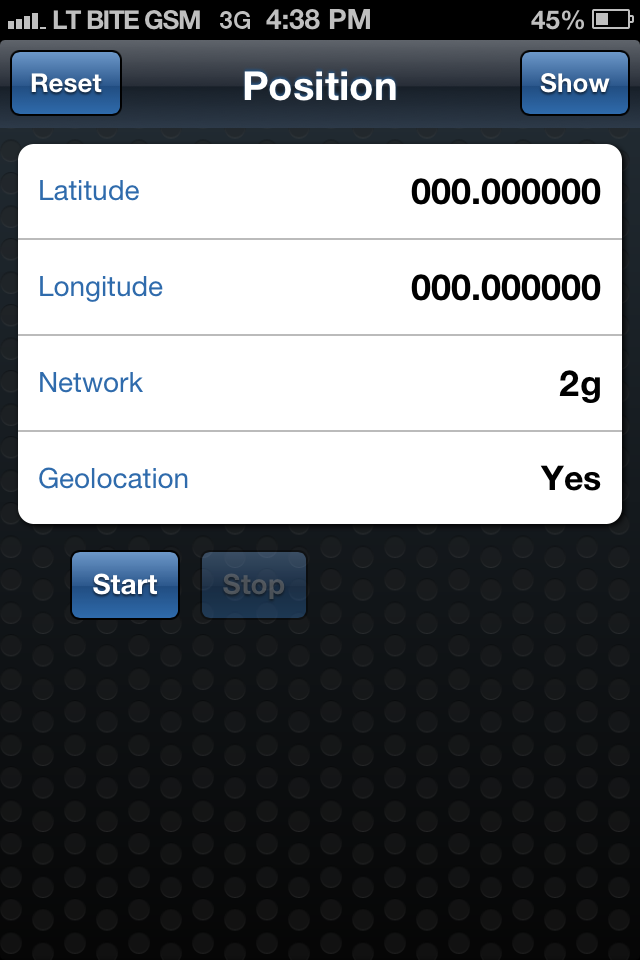
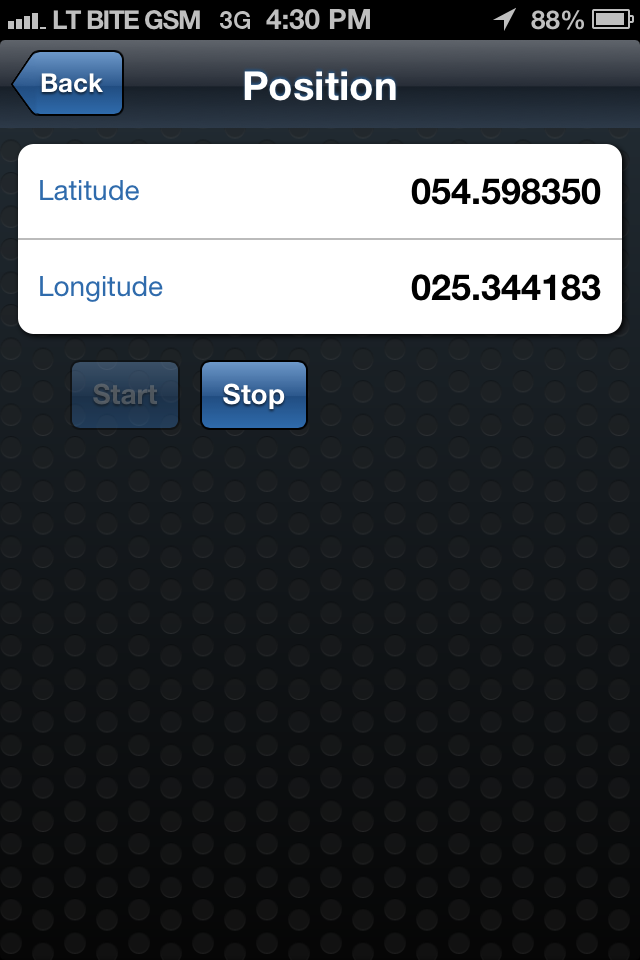
Same as in the previous version - Tracker logs current GPS position. Once Tracker is activated it will log GPS position change continuously until it will be stopped by the user:

In the same ADF Task Flow - Tracker, we can view current GPS position on the Google Maps:

Second ADF Task Flow - Routes allows to enter new route name and date (current date by default). When Start is activated - it will log each GPS position received from the Tracker into native device database until user will stop route logging:

From this screen user have option to view a list of previously recorded routes - Show button:

List is clickable - user can click on the selected route to view information about it. Information about logged GPS position for the selected route is retrieved from database - in the first screen we can see number of GPS positions logged. 1033 positions were logged for this route (maximum is set to be 10000):

We can view logged altitude information for the route - I was driving uphill and then downhill:

Route path itself can be visualized on top of Google Maps from logged GPS points:

If you want to delete logged route, simply swipe to the right and press Delete button:

You want to know about implementation details? All right - here is ADF Task Flow view for the router part:

Page with route name and date is default, next we can view route list and remove routes with refresh through the method call. We can view details - number of logged GPS points, altitude graph and route path constructed from logged GPS points.
Here is the database structure, two tables simple master/detail - ROUTES and POINTS. This script is executed during initial application activation on the device. Basically it creates *.db file with SQL Lite database on the device:

SQL file must be loaded programmatically, from custom lifecycle listener class. We must define this class in adfmf-application.xml file:

Application lifecycle method - start(), will be executed automatically and it will load database structure initially:

Connection to the database is constructed by retrieving reference to the SQL Lite database file on device:

Here you can see code to insert information about new route - regular SQL syntax and PreparedStatement:

This code snipped shows retrieval of GPS logged positions and constructing array of such points (later displayed in altitude graph and path on top of Google Maps):

In order to be able to load Google Maps in ADF Mobile, you must set Google Maps key in adf-config.xml file. Sample application is provided with dummy key, you must set your own:

Xcode Organizer tool displays installed applications on iPhone, I can see database file for my application. Organizer gives option to download application contents together with database file:

We can extract downloaded archive and access database file:

Performance of device native database is pretty good, I recorded around 10000 GPS location points in total - browsing through this dataset and loading is smooth:

Added features:
1. ADF Mobile Springboard support demonstrating multiple ADF Task Flow usage and access
2. ADF Mobile UI validation behavior and conditional logic
3. Device native database access and usage
4. Data visualization with ADF DVT components
5. Multi-point layer display on top of Google Maps
6. iPhone right/left swipe actions
Download sample application code - PosLogApp.zip. This sample contains two ADF Task Flows, both of them are loaded using ADF Mobile Springboard - Tracker (logs GPS positions) and Routes (logs and displays route data):

Same as in the previous version - Tracker logs current GPS position. Once Tracker is activated it will log GPS position change continuously until it will be stopped by the user:

In the same ADF Task Flow - Tracker, we can view current GPS position on the Google Maps:

Second ADF Task Flow - Routes allows to enter new route name and date (current date by default). When Start is activated - it will log each GPS position received from the Tracker into native device database until user will stop route logging:

From this screen user have option to view a list of previously recorded routes - Show button:

List is clickable - user can click on the selected route to view information about it. Information about logged GPS position for the selected route is retrieved from database - in the first screen we can see number of GPS positions logged. 1033 positions were logged for this route (maximum is set to be 10000):

We can view logged altitude information for the route - I was driving uphill and then downhill:

Route path itself can be visualized on top of Google Maps from logged GPS points:

If you want to delete logged route, simply swipe to the right and press Delete button:

You want to know about implementation details? All right - here is ADF Task Flow view for the router part:

Page with route name and date is default, next we can view route list and remove routes with refresh through the method call. We can view details - number of logged GPS points, altitude graph and route path constructed from logged GPS points.
Here is the database structure, two tables simple master/detail - ROUTES and POINTS. This script is executed during initial application activation on the device. Basically it creates *.db file with SQL Lite database on the device:

SQL file must be loaded programmatically, from custom lifecycle listener class. We must define this class in adfmf-application.xml file:

Application lifecycle method - start(), will be executed automatically and it will load database structure initially:

Connection to the database is constructed by retrieving reference to the SQL Lite database file on device:

Here you can see code to insert information about new route - regular SQL syntax and PreparedStatement:

This code snipped shows retrieval of GPS logged positions and constructing array of such points (later displayed in altitude graph and path on top of Google Maps):

In order to be able to load Google Maps in ADF Mobile, you must set Google Maps key in adf-config.xml file. Sample application is provided with dummy key, you must set your own:

Xcode Organizer tool displays installed applications on iPhone, I can see database file for my application. Organizer gives option to download application contents together with database file:

We can extract downloaded archive and access database file:
Performance of device native database is pretty good, I recorded around 10000 GPS location points in total - browsing through this dataset and loading is smooth: